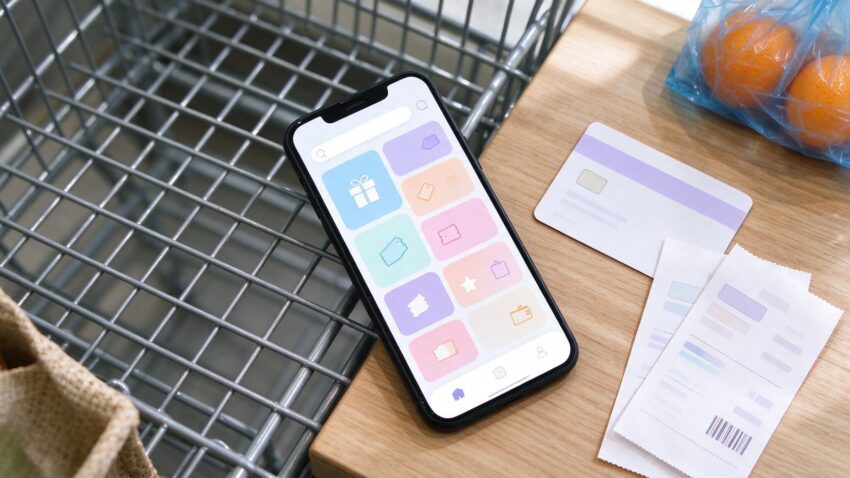
If you have ever clipped a digital coupon inside a supermarket app and then watched it sit unused while the register charged full price, you are not alone. Most store apps are built to apply offers for you — but only when those offers are loaded, linked to the right account, and allowed to combine with whatever else is on the item. This guide walks through 5 Supermarket App Tricks That Stack Digital Coupons Automatically, along with the fine print that decides whether a stack works or quietly falls apart.
One honest caveat before we start: stacking rules are set by each retailer, they vary by region and by product, and they change over time. Nothing here overrides the terms printed on an offer. The goal is to read those terms faster and set your app up so the register does the heavy lifting.
Why Digital Coupons Stack Differently Than Paper
The mechanics matter, because they explain why some combinations work and others never will.
- Paper coupons are handled by a cashier. A human scans them and can often juggle a store coupon and a manufacturer coupon on the same item.
- Digital coupons are handled by the register. When your loyalty ID, phone number, or app barcode is scanned, the point-of-sale system pulls every offer saved to that account and decides which ones apply.
- You do not control the order. The register applies offers in its own priority sequence, which is why clipping order rarely matters — but what is loaded before the transaction starts matters enormously.
- Some apps auto-apply, some require a tap. A few retailers apply the best available offer without any action. Others require you to save each offer individually. If you skip the tap, the offer is invisible to the register.
- Offers are account-locked. Unlike a paper coupon you can hand to a friend, a digital offer usually only works on the account it was saved to.
5 Supermarket App Tricks That Stack Digital Coupons Automatically: The Stacking Order
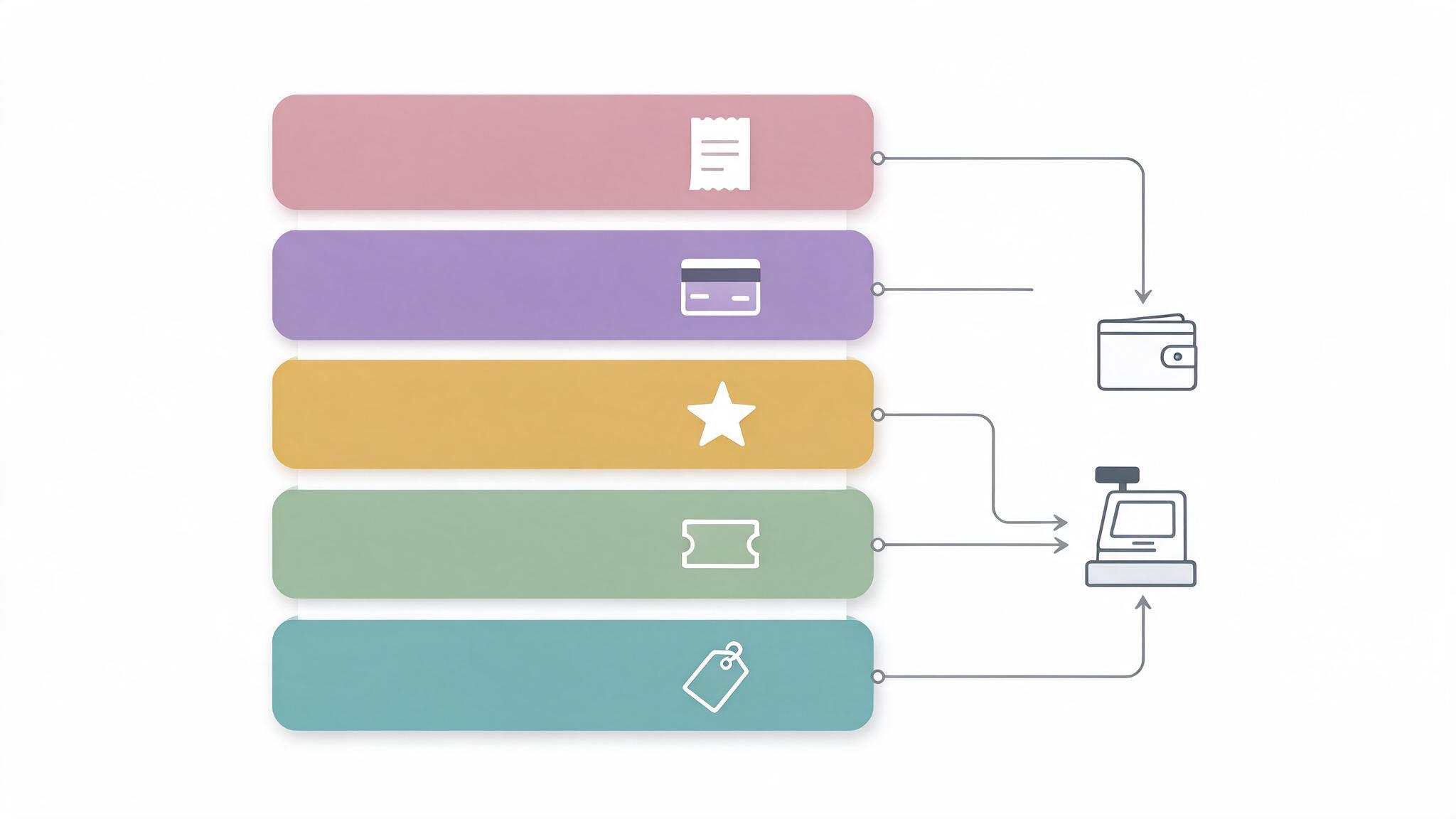
Think of a fully stacked purchase as five layers. The bottom three are applied by the register. The top two are applied after you leave the checkout lane.
| Layer | What it is | Where it applies |
|---|---|---|
| 1 | Member or loyalty price plus a store digital coupon | At the register, from your loyalty account |
| 2 | Manufacturer digital coupon loaded into the same app | At the register, from your loyalty account |
| 3 | Personalized “just for you” offer | At the register, usually auto-applied |
| 4 | Card-linked offer from your payment card or bank | After checkout, on your card statement |
| 5 | Receipt-scanning cash-back app | After checkout, inside the app |
Layers 1 and 2 are where most people lose money, because the general rule at most chains is one store coupon and one manufacturer coupon per identical item — not two store coupons. Layers 4 and 5 sit outside the register entirely, which is why they can usually be added on top of a couponed purchase, as long as each program’s own terms allow it.
Trick 1: Clip Everything Before the Transaction Starts
The register reads your account at the moment your loyalty ID is scanned. Anything still sitting unclipped in the app’s offer feed is effectively not there.
- Use the bulk button if your app has one. Many apps offer a “clip all” or “load all” control. Tap it, then open your clipped or saved tab and confirm the count actually changed.
- Re-check the day before you shop. Offer cycles typically refresh weekly, and some retailers drop short-window offers mid-cycle. A quick Sunday-night or Monday-morning check catches both.
- Watch expiry dates on the offer tile. A clipped coupon with a passed date will not apply, and it can make you think your stack failed when the real problem was timing.
- Do not rely on memory. Screenshot the offers you plan to use. If the register misses one, you have the evidence to ask the service desk for a manual adjustment.
Trick 2: Pair One Store Coupon With One Manufacturer Coupon
This is the single highest-value habit in the whole list, and it depends entirely on reading who funded the offer.
- Store coupon language: “store coupon,” “our brand,” “member-only price,” or a retailer logo in the offer art. These come out of the retailer’s pocket.
- Manufacturer coupon language: a specific brand name plus phrasing like “save on any one.” These are funded by the brand.
- Buying multiples: a “$1 off when you buy 3” offer applies once to that group. A “$1 off one” offer may apply to each eligible item up to the stated limit, so check the limit line before assuming.
- Check which item got the discount. When an offer is generic, registers often apply it to the lowest-priced eligible item in the basket. If you bought two sizes, the discount may land on the cheaper one.
Trick 3: Layer Receipt-Scanning Cash-Back Apps on Top
Receipt-scanning apps such as Ibotta and Fetch Rewards pay you after the purchase rather than at the register, which is exactly why they can sit on top of a coupon stack. The trade-off is that they have their own rules.
- Submit within the stated window. Most programs require the receipt within a limited number of days, so scan it the same day rather than stuffing it in a drawer.
- Read the offer’s exclusions. Some cash-back offers exclude items purchased with a coupon, and some are brand-specific while others are “any brand.”
- Do not assume every app accepts a shared receipt. Sending the same receipt to several programs is only fine where each program’s terms permit it. Some prohibit it outright, and accounts do get flagged.
- Keep the paper. Thermal receipts fade, and a faded receipt can be rejected. A photo taken at the car is your backup.
Trick 4: Use the App Wallet, Scan-and-Go, and Loyalty Tiers Together
These are the features that make stacking automatic rather than manual.
- Link your loyalty number inside the app. Once it is linked, the digital card or barcode in the app is the same identity the register already knows, so saved offers attach themselves.
- Verify before you pay with scan-and-go. In scan-and-go lanes, coupons sometimes apply only at the final payment step. Check the running total before you confirm, not after.
- Understand how fuel points and tier rewards are calculated. Some programs award points on the pre-coupon total, others on what you actually pay. That difference decides whether a coupon helps or hurts your fuel balance.
- Add a payment card to the app only if you want card-linked offers. Many card issuers run merchant offers that trigger automatically when you pay with the enrolled card. That is layer 4, and it costs you nothing extra to check.
Trick 5: Time the Stack to Clearance and Personalized Offer Cycles
A coupon on a full-price item is fine. A coupon on an already-marked-down item is where the math gets interesting. Learning when departments clear is a genuine advantage — our retail seasonal clearance schedule by month maps out what tends to drop when, and the Target clearance markdown schedule explains how those drops are staged.
Two cautions. First, many digital coupons explicitly exclude clearance merchandise, so read the exclusion list before you build a plan around it. Second, personalized “just for you” offers are usually generated from your purchase history — favoriting items and buying them occasionally is a reasonable way to keep relevant offers coming, but no one outside the retailer can promise a specific offer will appear.
If you also shop warehouse clubs, the price-tag codes are worth learning, since they tell you whether an item is a genuine markdown or a temporary promotion. Our guides to Costco price tag asterisks and Sam’s Club markdown codes cover that in detail.
Fine Print and Red Flags to Check
Before you count on a stack, scan the offer for these phrases:
- “Cannot be combined with other offers” — this usually kills the store-plus-manufacturer pairing on that item.
- “Limit one per household” or “one per transaction” — buying in separate transactions to get around this is a common way to get an account flagged.
- “Excludes clearance, alcohol, tobacco, prescriptions, gift cards” — standard exclusions at most chains.
- “Void if copied, transferred, or sold” — digital offers are not meant to be shared.
Red flags worth walking away from: any third-party app or website asking for your supermarket loyalty login and password, any service asking for bank credentials to “unlock” coupon stacking, and any site offering a coupon generator. Coupons are issued by retailers and brands; nothing legitimate generates them for you. If a clipped coupon simply does not apply, ask the service desk — many stores will honor a valid clipped offer manually, and it costs nothing to ask.
A Five-Minute Weekly Routine
- Open every store app you shop and tap the bulk clip control.
- Check the saved tab and screenshot anything you plan to use this week.
- Note which offers are store-funded and which are manufacturer-funded, so you know what can pair.
- Check your card issuer’s merchant offers and activate any supermarket ones.
- Shop, then scan the receipt into your cash-back apps the same day.
None of this requires a subscription, a fee, or anyone else’s login. It is just a matter of loading offers before the register reads your account, keeping the store and manufacturer layers separate, and letting the after-checkout layers do their work once you are out the door.